Sngine Live Pro 1.0.1: Advanced Live Streaming Suite for Sngine with WebRTC, OBS and Creator Earnings
Sngine Live Pro 1.0.1 adds PK live battles, guest live controls, improved engagement, protected installer checks and a cleaner customer update flow.
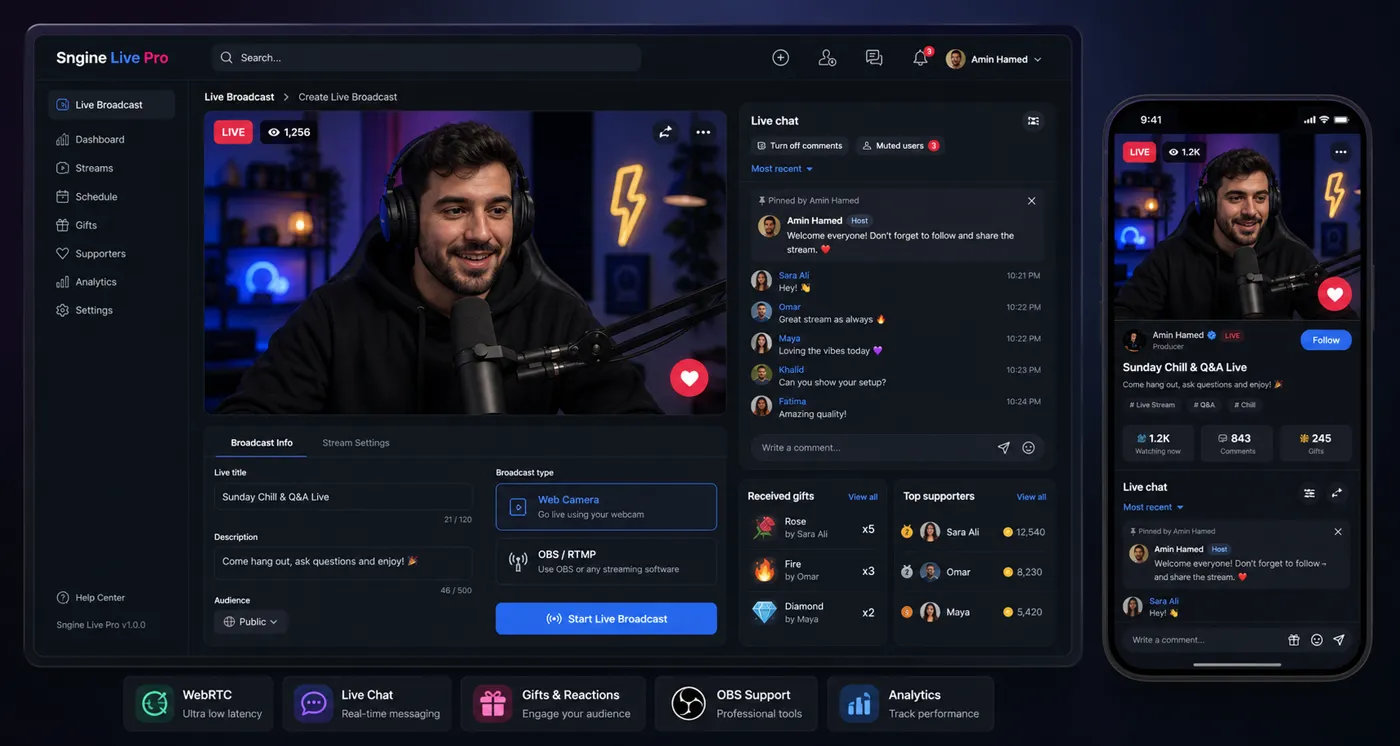
Sngine Live Pro 1.0.1 is focused on making live streaming more interactive, easier to install and safer to deliver to licensed customers. The release improves both the viewer experience and the owner update workflow.
The product is built for Sngine communities that need advanced live streaming with WebRTC, RTMP/OBS publishing, recording options, gifts, creator earnings and platform commission controls.
PK live battles
Version 1.0.1 adds a more complete PK battle flow. Streamers can send invitations, respond to battle requests, start the battle, run rounds, use countdowns, leave, finish and request rematches.
This type of feature is important for social platforms because live streaming is not only about broadcasting. The best live rooms create interaction and competition that viewers can follow in real time.
Guest live controls
The update adds guest requests, invitations, ready state, guest session handling, guest controls, remove guest and leave flow. These tools help streamers manage a live room with more than one participant.
Guest controls are especially useful for interviews, learning sessions, community events, creator collaborations and private niche networks that want a more flexible live format.
Better engagement inside live rooms
Comments, reactions, gifts, lightbox behavior, layout switching, audio control, active users and live state polling were improved in this release. These details may sound small, but they shape how alive a live room feels.
Live streaming products need fast feedback. When comments, gifts and reactions respond clearly, viewers are more likely to stay active.
Protected installer and cleaner delivery
The protected Sngine addon installer now verifies purchase code and licensed domain before installation. This helps keep package access limited to valid customers and reduces misuse of private update files.
The server package is published through the protected installer manifest, while the Sngine addon is delivered as a separate clean package without documentation, markdown, git or development files.
How existing customers update
Existing server installations can update by uploading the new server files and running:
./scripts/update.shBefore updating any production live streaming system, back up the server files and database, then test the flow with a small live session.
Learn more from the product page: Sngine Live Pro - Advanced Live Streaming Suite.
Related Posts
Release Note
Sngine Messenger 2.0.1: Faster Flutter Chat App with Caching, Calls and API Updates
Jun 05, 2026
Release Note
Sngine Timeline 3.0.0: Flutter Live Streaming, PK Battles, Gifts and Social App Upgrades
Jun 05, 2026
Release Note
Store Flutter Crafters June 2026 Update: Sngine Live, Timeline 3.0 and Messenger 2.0.1
Jun 05, 2026