Sngine Live Pro 2.0.5 and Sngine Messenger 3.0.0: WebRTC Calls and New Groups System
Latest Sngine Live Pro and Sngine Messenger updates for July 1, 2026: WebRTC voice and video calls without Agora, group calls, and a new independent groups system inside Messenger.
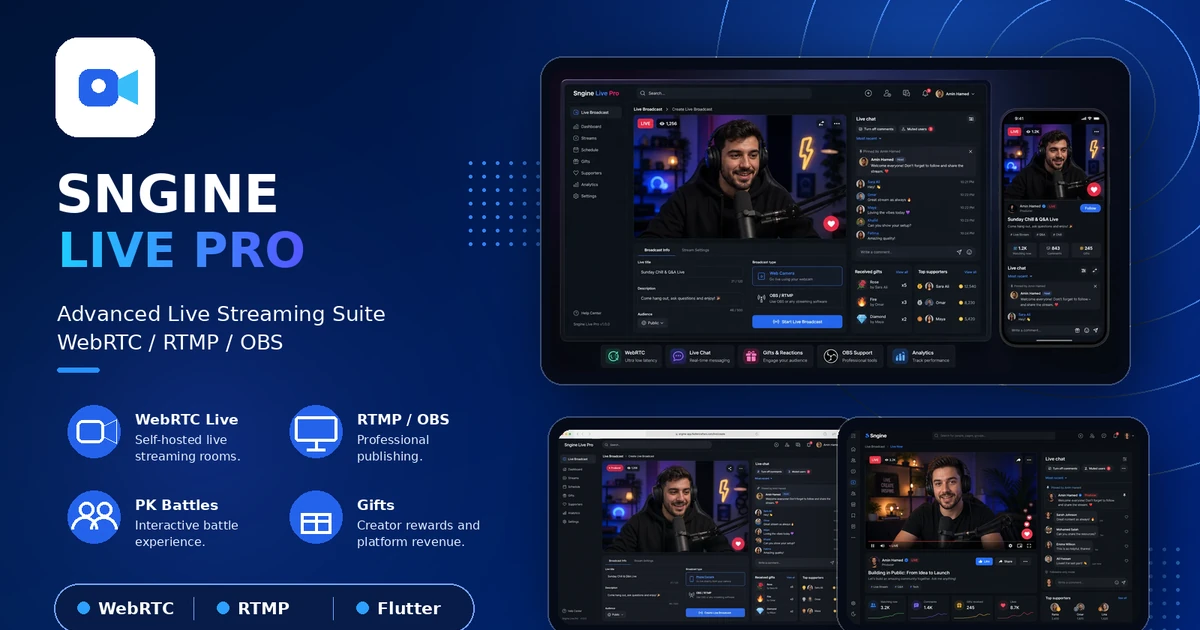
We are releasing an important update across two major products in the Flutter Crafters Sngine ecosystem: Sngine Live Pro v2.0.5 and Sngine Messenger v3.0.0. This release is focused on real-time communication, bringing WebRTC voice and video calling into Messenger through Sngine Live Pro, while also adding a completely new independent groups system inside Messenger.
The goal of these updates is simple: give Sngine site owners a more complete social communication experience. Messenger now becomes stronger for private and group conversations, while Live Pro becomes part of the real-time calling infrastructure, not only a live streaming suite.
Quick Update Summary
- Sngine Live Pro v2.0.5 adds a major API update for Messenger voice calls, video calls, and group calls through WebRTC.
- Sngine Messenger v3.0.0 adds a new independent Groups System with its own API, group management, member controls, admin permissions, invite links, join requests, and rich group chat features.
- The new Messenger calling features are connected through Sngine Live Pro, so customers who want voice, video, or group calls must install and update Sngine Live Pro.
- No Agora is required for the new Messenger calling workflow. Calls are handled through Sngine Live Pro using WebRTC.
Sngine Live Pro v2.0.5: Messenger Calling API
The most important part of Sngine Live Pro v2.0.5 is the new API layer built for Messenger Sngine integration. This update allows Messenger to start calls, join calls, end calls, invite more users, and manage active participants through the Sngine Live Pro WebRTC workflow.
Messenger Sngine Integration
Sngine Live Pro now supports Messenger voice and video call compatibility at the API level. Users can start a call directly from a Messenger conversation, join an active call, end the call, and invite additional users into the same session.
This creates a more complete communication experience for customers who want their Sngine mobile app to support more than text chat. Messenger can now become a true real-time communication layer for communities, teams, and social platforms.
WebRTC Calls Without Agora
One of the biggest improvements in this release is that Messenger calls no longer require Agora for the core calling experience. The new calling workflow is powered by Sngine Live Pro and WebRTC, giving customers more flexibility and more ownership over their real-time communication setup.
The update includes support for voice call sessions, video call sessions, group call sessions, call participants, call status updates, active call management, improved session validation, and improved call connection handling.
Performance and Stability Improvements
Along with the new calling API, Sngine Live Pro v2.0.5 improves API response speed for real-time call actions, call session stability, participant join and leave behavior, API validation, security checks, and error handling for failed or expired call sessions.
Important: Customers who want to use voice calls, video calls, or group calls inside Sngine Messenger must have Sngine Live Pro installed and updated, because the new WebRTC calling system is connected through Sngine Live Pro.
Product page: Sngine Live Pro - Advanced Live Streaming Suite.
Sngine Messenger v3.0.0: New Groups System and WebRTC Calls
Sngine Messenger v3.0.0 is a major update for the mobile messaging experience. The release introduces a fully independent Groups System, separate from the core Sngine script, with its own API, dedicated group section, group settings, member management, permissions, invitations, and modern group conversations.
Independent Groups System
The new groups module allows users to create groups, edit group name, description, and photo, manage group settings, manage members, hide the member list, leave a group, and delete a group when they are the owner.
When a group is deleted, all group messages are removed for all members. This makes group cleanup more predictable for owners and administrators.
Rich Group Chat Experience
Group conversations now include a modern chat bubble design and support for text messages, images, files, voice messages, and videos. The update also adds a built-in audio player, built-in video player, dedicated attachment menu, and a separate microphone button for voice recording.
When a group chat is opened, the app automatically loads the latest 20 messages. Users can load older messages while scrolling up, and the app automatically scrolls to the latest message when entering the conversation. Real-time message updates are also included.
Message Reactions, Deletion, and Permissions
Messenger v3.0.0 adds delete messages for everyone, message reactions, and the ability to view who reacted to messages based on group permissions.
The release also adds an advanced administrator permission system. Groups can have multiple administrators, and each administrator can receive individual permissions such as adding members, removing members, editing group information, deleting messages, managing join requests, changing the invite link, and assigning or removing administrators.
Invitations and Join Requests
Groups now support dedicated invitation links, a join preview page before entering a group, join requests with administrator approval, invitation link regeneration, and a setting to allow or restrict members from accessing the invite link.
Voice, Video, and Group Calls
Sngine Messenger v3.0.0 adds WebRTC voice and video calling support through Sngine Live Pro. Users can start voice calls, start video calls, and invite more users into the same call, creating a group calling experience similar to modern messaging apps.
This feature is available for customers who purchased Sngine Live Pro, because the calling system is connected through it. If your goal is to enable Messenger calls, you should update both Messenger and Sngine Live Pro.
Product page: Sngine Messenger - Flutter Social Networking App.
What Customers Should Do Before Updating
- Back up your application files, website files, and database before updating.
- Update the Messenger API on your website/server side when using the new Messenger release.
- Update Sngine Live Pro to v2.0.5 if you want to use voice calls, video calls, or group calls inside Messenger.
- Test the full calling workflow: start call, join call, invite more users, end call, and expired session handling.
- Review group permissions before launching the update, especially administrator permissions, invite links, and join requests.
- Test media sharing inside group conversations, including images, files, voice messages, and videos.
Why This Update Matters
This release moves the Sngine mobile ecosystem from basic messaging into a more complete communication platform. Messenger gains a serious groups system, while Sngine Live Pro becomes the WebRTC communication engine behind voice, video, and group calls.
For community owners, this means better group engagement, richer chat tools, clearer administration, and a more flexible self-hosted calling workflow. For users, it creates a smoother communication experience inside one connected mobile app.
Final Notes
Sngine Live Pro v2.0.5 and Sngine Messenger v3.0.0 are designed to work together for customers who want modern WebRTC communication inside their Sngine mobile ecosystem. Messenger customers get the new independent groups system and improved chat experience, while customers who also use Live Pro can enable WebRTC voice, video, and group calls without Agora.
We will continue publishing release notes, setup guidance, and future product updates through the Store Flutter Crafters Blog and product changelogs.
Related Posts
Release Note
Sngine Messenger 2.0.1: Faster Flutter Chat App with Caching, Calls and API Updates
Jun 05, 2026
Release Note
Sngine Live Pro 1.0.1: Advanced Live Streaming Suite for Sngine with WebRTC, OBS and Creator Earnings
Jun 05, 2026
Release Note
Sngine Timeline 3.0.0: Flutter Live Streaming, PK Battles, Gifts and Social App Upgrades
Jun 05, 2026