Sngine Live Pro 4.0.0: A Complete Creator-Focused Live Streaming System
A complete look at Sngine Live Pro 4.0.0, including WebRTC, OBS/RTMP, Audio Spaces, PK Battles, live gifts, creator earnings, moderation, monetization, and real-time live tools.
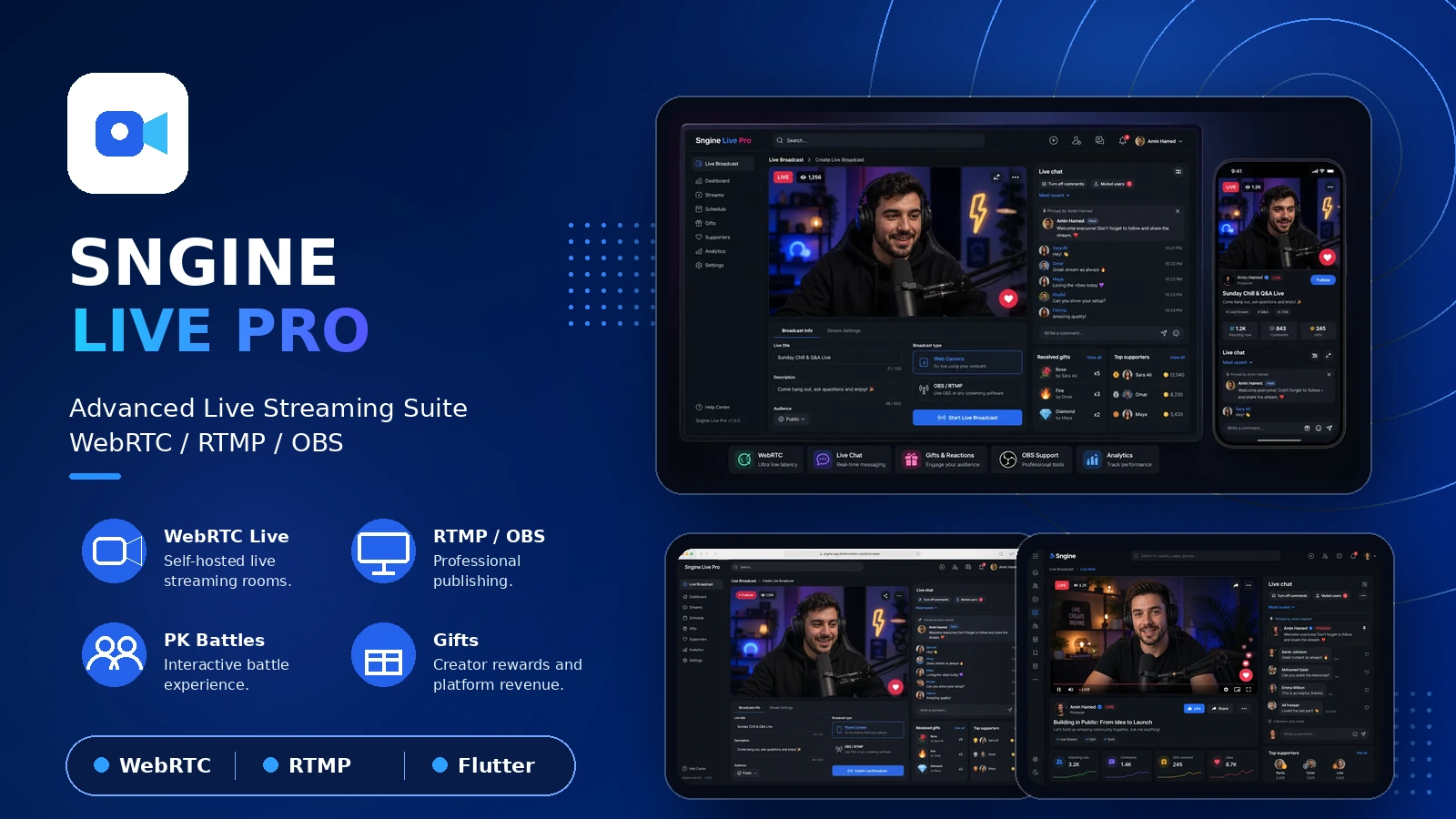
Sngine Live Pro 4.0.0 is a major expansion of the Sngine live ecosystem. This release moves live streaming beyond a basic video player and introduces a complete creator-focused experience for communities that want real-time broadcasting, audience participation, guest management, monetization, and a foundation for future live products.
The system is designed around the existing Sngine platform while keeping the Live Pro application, APIs, real-time events, WebRTC services, producer tools, and live-server integrations organized as a dedicated system. This helps teams maintain and extend the live experience without scattering features throughout the Sngine core.
View the official Sngine Live Pro product page
Broadcasting for creators and production teams
Creators can start a broadcast from a phone camera or use a professional OBS/RTMP workflow. Viewers receive a low-latency WebRTC experience, while creators can work from a dedicated Live Producer dashboard with broadcast information, live status, stream URL, stream key, Live URL, copy actions, open-live controls, and end-live controls.
- Camera-based live broadcasting.
- OBS and RTMP production workflows.
- Low-latency WebRTC playback.
- Portrait and landscape layouts.
- Broadcast titles, descriptions, categories, and access settings.
- Waiting, live, and ended broadcast states.
- Viewer counters and creator profile information.
- Responsive web and mobile producer layouts.
Free, subscribers-only, and paid live access
Every broadcast can be configured according to the creator's business model. Free broadcasts are open to the community. Subscribers-only broadcasts verify the viewer's subscription before entry. Paid broadcasts verify payment and the configured price before the live room can be viewed. When a user does not have enough balance, the experience can guide them to add funds before continuing.
A dedicated Audio Spaces experience
Audio Spaces is separated from video live streaming and follows an X Spaces-style room model. Users enter as listeners, while the creator controls the speaking stage.
- Host, Co-host, Speaker, and Listener roles.
- Request to Speak for listeners.
- Accept and reject controls for the host.
- Promotion from Listener to Speaker.
- Speaker mute and removal controls.
- Return a speaker to Listener.
- Host-controlled room ending.
- Participant names, profile photos, roles, and speaking indicators.
- Audio-only rooms without requesting camera permission.
- Microphone access only for the host and approved speakers.
Audio publishing and receiving were improved so approved speakers can be heard by the host and other participants. Participant roles and room state are synchronized for hosts, speakers, and listeners.
Multi-participant live rooms
Live Pro supports more than one participant in a broadcast. Hosts can manage guests, accept or reject join requests, mute participants, remove them, and keep the participant stage organized. Names, profile photos, roles, microphone state, and speaking activity are visible to the people who need them.
PK Battles: solo, 1v1, and 2v2
PK Battle has been expanded beyond independent players. Solo and 1v1 formats are supported, while four participants can be arranged automatically as two teams. The host can change the team membership and reorder participant positions before or during the preparation stage.
- Two teams with two players per team.
- A1, A2, B1, and B2 participant labels.
- Host-controlled team switching.
- Host-controlled participant reordering.
- One combined score bar between both teams.
- Combined gift and point totals for each team.
- Individual player points and gift counts.
- Highest-contributor and MVP indicators.
- Real-time score updates for participants and viewers.
- Winner presentation when the round ends.
Live gifts, supporters, and creator earnings
The release connects live interaction with the creator economy. Viewers can send gifts after wallet validation, see supporter activity, and receive a clear top-up path when their balance is insufficient. Creators can review gift activity, received and sent gifts, revenue, commissions, and earnings through the creator views.
- Live gift sending and gift animations.
- Wallet-balance validation.
- Supporter counters.
- Received and sent gift history.
- Creator earnings summaries.
- Gift value, commission, and earning calculations.
- Immediate balance and interface refreshes after transactions.
Chat and moderation tools
The live chat was redesigned for a cleaner viewing and production experience. Messages now use clearer spacing, profile photos, message bubbles, and a more usable comment composer. Secondary controls are grouped into a More menu to prevent the panel from becoming crowded.
- Live comments and emoji support.
- Pinned comments.
- Comment deletion.
- Turn comments on or off.
- Muted users.
- Blocked users.
- Blocked keywords.
- Improved chat scrolling.
- Light-mode and dark-mode text contrast.
- Creator moderation actions.
Live activity panels
The live interface includes dedicated areas for Chat, Gifts, Supporters, Polls & Q&A, Fan Club, VIP & Rewards, Predictions, and Shop. Tab ordering, horizontal scrolling, counters, panel loading, and More menus were improved for desktop and mobile layouts.
Creator Center and Live Producer
The creator workspace now presents the most important live information in one place: live viewers, revenue, gifts, Live Taps, broadcast information, OBS settings, live controls, Creator Center access, and Earnings. The layout adapts to narrow screens and supports light and dark themes.
Live Events, fan features, and engagement foundations
Live Pro now includes the product foundations for scheduled Live Events, reminders, event-to-live conversion, Fan Club memberships, levels, badges, viewing streaks, VIP rewards, channel points, polls, Q&A, predictions, raids, clips, and live shopping. These features are structured so they can grow on top of the same live architecture.
API, WebRTC, and real-time synchronization
Version 4.0.0 adds and improves APIs for live creation, live state, joining and leaving, speaker requests, speaker moderation, gifts, supporters, earnings, PK Battles, polls, and predictions. WebSocket and socket events keep participant roles, speaking status, team positions, points, gifts, and live state synchronized between hosts, guests, and viewers.
Security, portability, and maintenance
Live Pro is organized to remain separate from Sngine core files wherever possible. Server-controlled settings, translations, feature flags, diagnostics, and installation support make the system easier to configure, move, and maintain. Live connection errors, API failures, speaker events, moderation actions, and advertising-related issues can be logged for troubleshooting.
Who is Live Pro for?
Sngine Live Pro is designed for social networks, creator platforms, communities, subscription businesses, and product teams that want self-hosted live streaming with room to grow. It combines video live, Audio Spaces, multi-participant rooms, PK Battles, live gifts, creator earnings, and audience interaction in one product.
Related Posts
Release Note
Sngine Live Pro 2.0.5 and Sngine Messenger 3.0.0: WebRTC Calls and New Groups System
Jul 01, 2026
Release Note
Sngine Messenger 2.0.1: Faster Flutter Chat App with Caching, Calls and API Updates
Jun 05, 2026
Release Note
Sngine Live Pro 1.0.1: Advanced Live Streaming Suite for Sngine with WebRTC, OBS and Creator Earnings
Jun 05, 2026